Ticket Settings
You can change ticket settings by going to 9 dots > Store Settings > Repairs > Tickets & Repairs
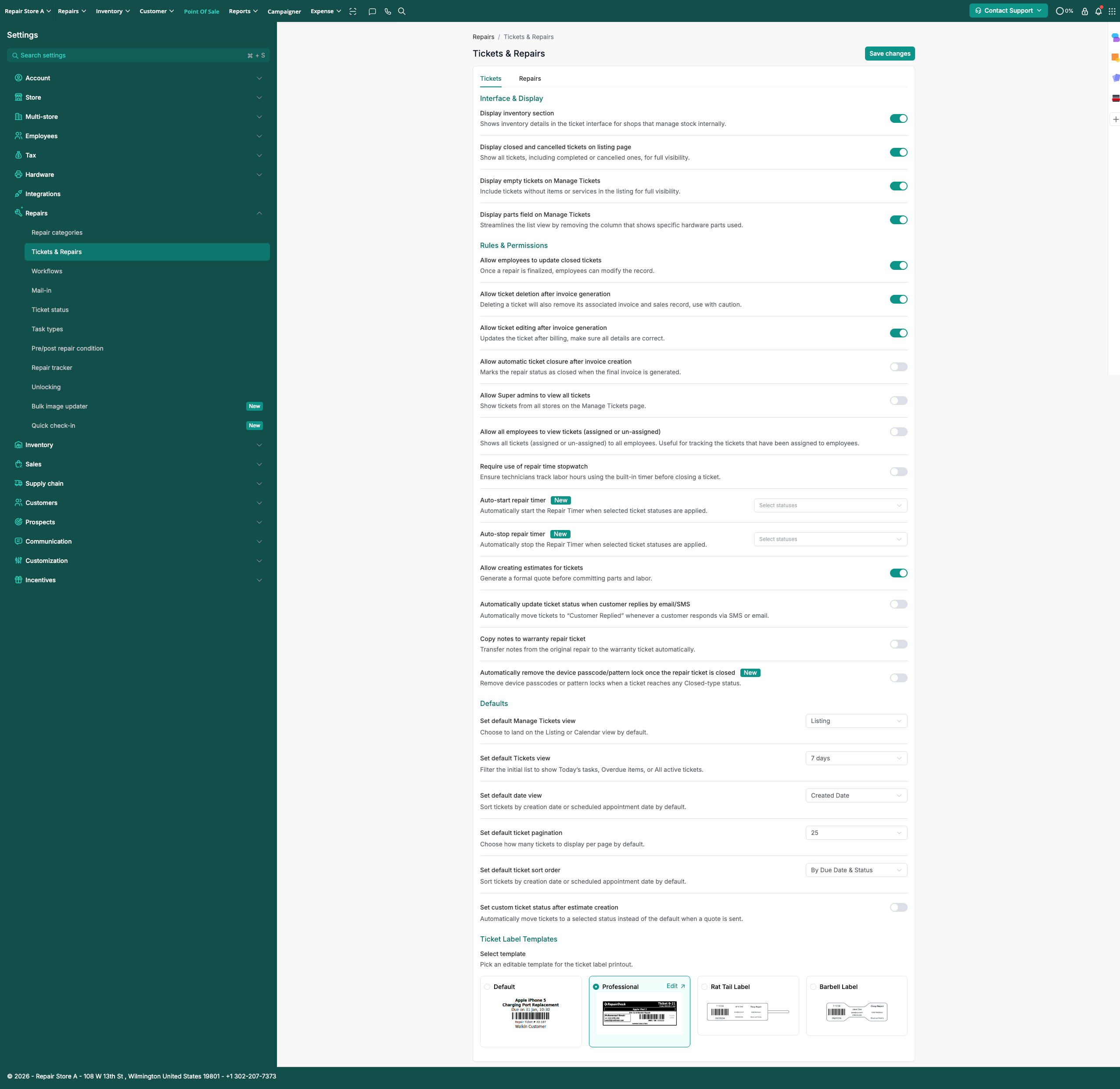
You can also apply further settings by enabling toggles such as:
- Allow employees to update closed tickets
- Allow ticket deletion after invoice generation
- Allow ticket editing after invoice generation
- Allow automatic ticket closure after invoice creation
- Allow Super admins to view all tickets
- Allow all employees to view tickets (assigned or un-assigned)
You can also change view settings such as:
- Manage Tickets Default View
- Default Tickets View
- Default Ticket Pagination
- Change the Ticket Label Design