How to make it compulsory to add pre/post repair device conditions?
A customer walks in and gave his cell phone to you for repair. After the repair, he complains that instead of fixing up one issue, you have created another one! It might be a baffling condition for you.
To avoid such unpleasant scenarios and to correctly record pre-repair and post-repair device conditions, RepairDesk has launched a feature which makes it compulsory for technicians to add pre-repair or post-repair conditions for a device. These conditions will also appear on the invoice and will clarify things both for you and your customer.
How to set this up?
To make it mandatory to enter pre-repair and post-repair conditions:
1. Head to Store Settings > Repairs > Tickets & Repairs
2. To make it mandatory to enter pre post -repair device conditions, enable the following triggers: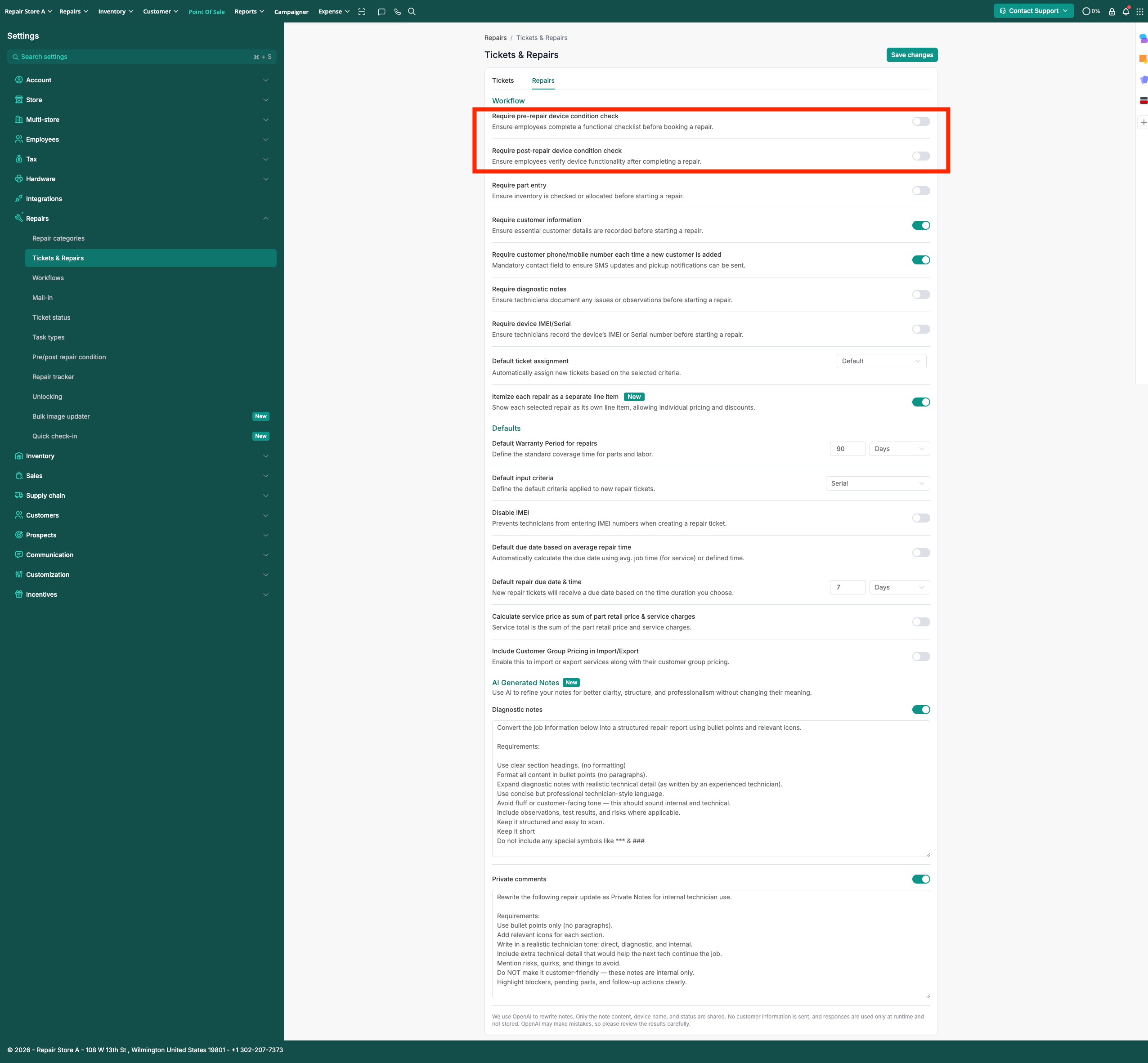
3. Click on Save button to implement changes.
Now if a technician proceeds to book a repair job without entering pre-repair device condition, he will be not be able to proceed until he enters pre-repair device condition. Confirm button will be disabled until user enters pre-repair device condition and will not be able to proceed to checkout or create repair ticket.
Similarly, if post-repair device condition are enabled to be mandatory, user will be notified to add them while updating a ticket status.