How can I enable Webex SMS Integration?
Overview
Webex SMS integration allows you to send real-time SMS notifications, appointment reminders, bulk messages, and two-way conversations directly from RepairDesk. With Webex’s fast and reliable platform, you can keep your customers informed and engaged throughout the repair process.
Features
Send automated job status updates and appointment reminders
-
Send bulk SMS campaigns to customers
-
Two-way SMS messaging: receive and respond to customer replies within RepairDesk
-
High delivery rates and fast message processing
How to Enable Webex SMS Integration
Step 1: Get Webex SMS API Credentials
- Sign up for a Webex Connect account at Webex Connect.
- Contact Webex support to enable SMS messaging for your account and request International SMS if you plan to message outside the UK, Ireland, or Spain.
- Obtain your API Key and Sender ID from your Webex dashboard.
Step 2: Configure Webex SMS in RepairDesk
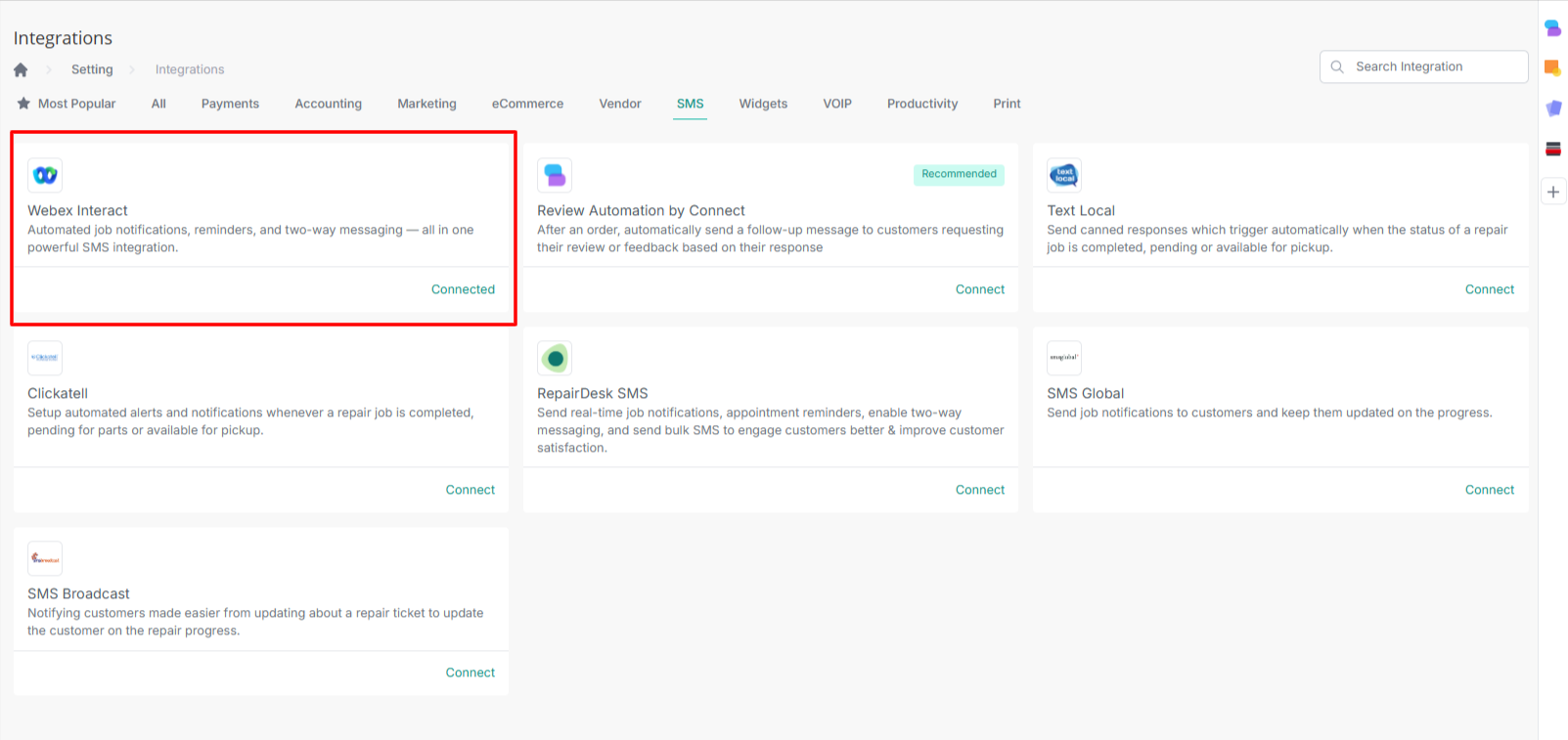
- Log in to your RepairDesk account.
- Navigate to Settings > Integrations > SMS Integration.
- Select Webex Interact from the list of providers.
- Enter your API Key and Sender ID from Webex.
- Save the settings and test the connection by sending a test SMS.